
Navigate to the "Members" section of the dashboard.
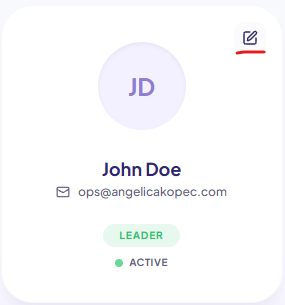
TO REMOVE A USER, simply locate their record and click the edit icon (please see below).
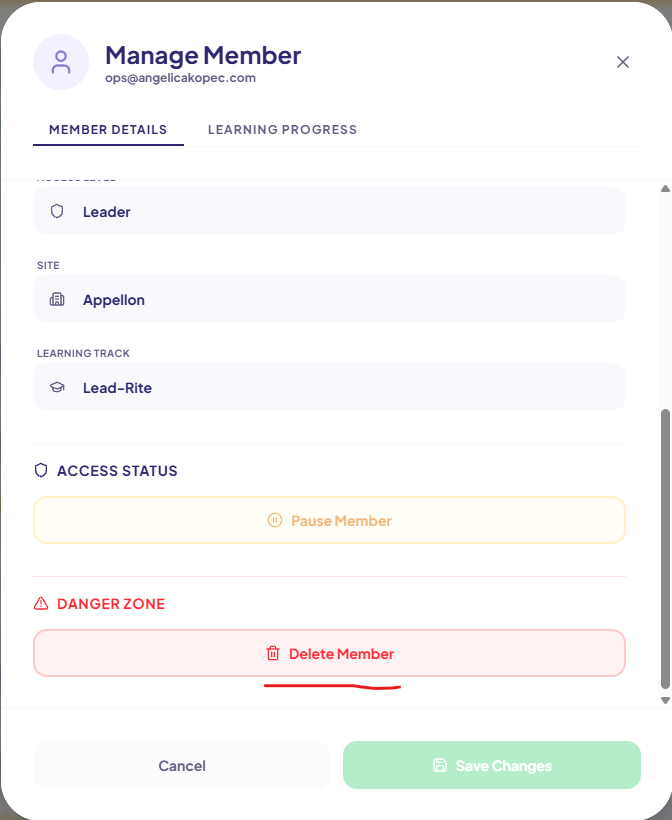
Then scroll to the bottom and click the delete button. Confirm to delete.
Navigate to the "Members" section of the dashboard.
TO REMOVE A USER, simply locate their record and click the edit icon (please see below).
Then scroll to the bottom and click the delete button. Confirm to delete.