
If you can't log in or this is your first time accessing the new Appellon platform, you'll need to reset your password. This only takes about 60 seconds.
Step 1 — Go to the password reset page
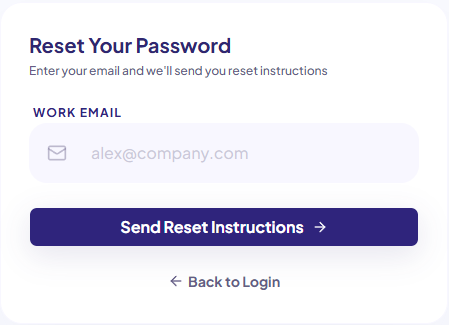
Visit app.appellon.com/reset-password directly.
Step 2 — Enter your email address
Enter the email address you have been using to log in to Appellon. This may be your work email or another active email address linked to your account.
Step 3 — Check your inbox
You'll receive a password reset email shortly. Check your work inbox — and your junk/spam folder if you don't see it within a few minutes.
Step 4 — Set your new password
Click the link in the email, choose a new password, and confirm it.
Step 5 — Log in
Head to app.appellon.com and log in with your new password.
---
Still not working?
If you don't receive the reset email or continue to have trouble, contact us at [email protected], and we'll help you get access.